I moved to a new URL! Check it out!

Dev Log: Screen Scalin'
Image


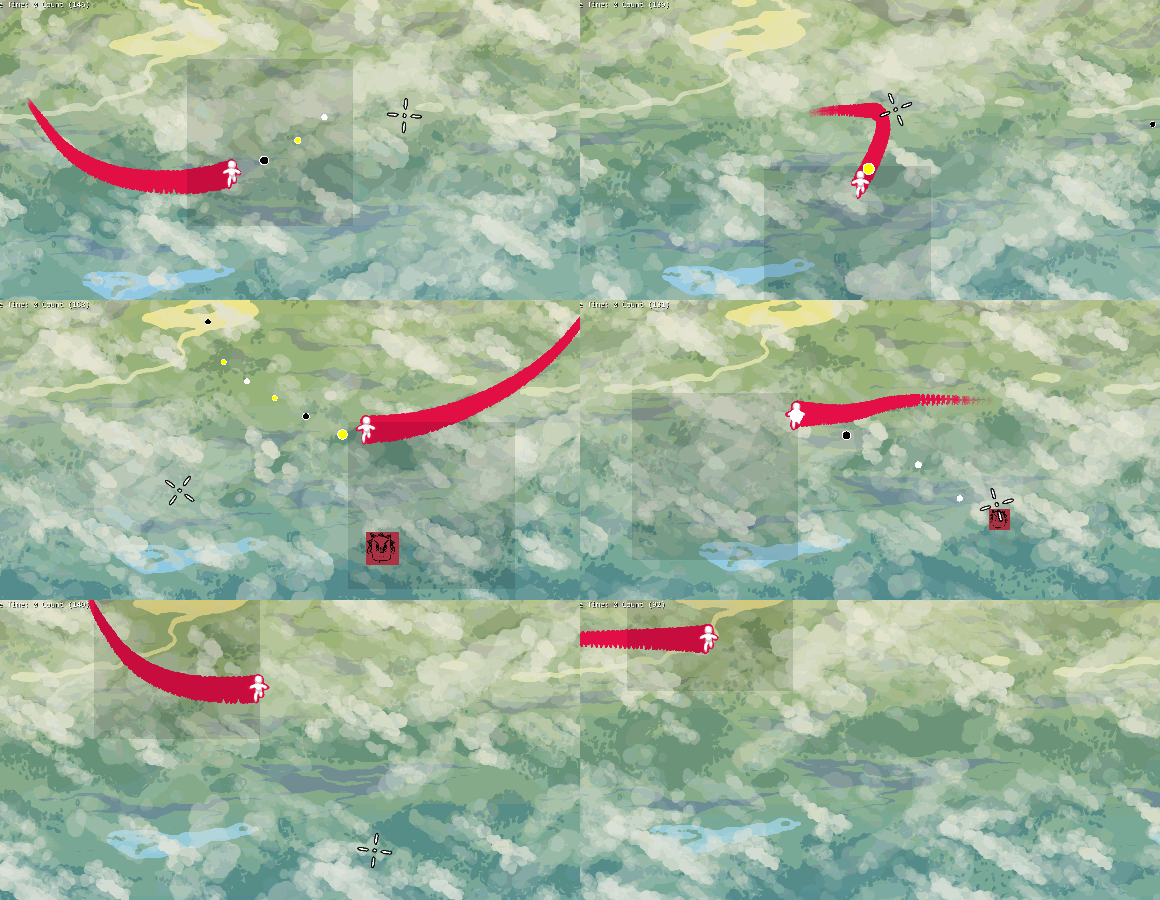
Look out, it's a 6mb animated gif! Another thing off my task list was scaling the game window to different resolutions. I wanted to keep the same stuff on the screen as I scaled the game window up and down (since I imagine people will want to play games at varying resolutions) so what I'm doing right now is just scaling a render texture to the size of the window. I guess we'll see how horrible or okay this approach is soon enough.

I've been trying to figure out the best way to start making assets in terms of their resolution. Right now my idea is to just pick a resolution that the game will natively be in, like 1920 x 1080, and just make all assets as if the game is being played at that resolution. Scaling that resolution up to 2440 x 1440, or down to something like 720 x 480, doesn't seem to be that bad. My only concern is keeping text readable at low resolutions, so I might have to do some extra work to maybe change fonts or text sizes depending on the resolution.
Image


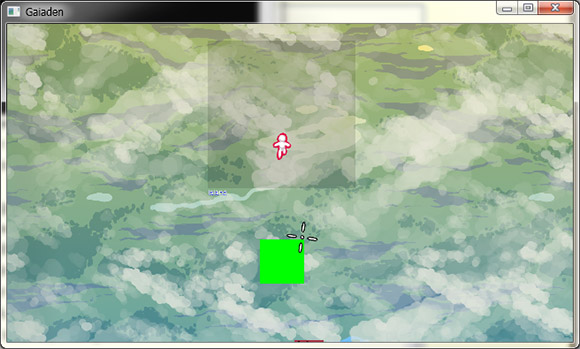
For Snapshot, we just chose a virtual resolution of 1600 x 1200 and made all assets as if the game was being played at that resolution. This seemed to work out okay in the end, but we did spend a lot of time at the beginning of the project trying to figure out the best solution for this issue. If I were smarter I'd be doing something like having assets for different resolutions and loading the right one depending on the resolution but I have no idea how to do that for now so I'll go for the short and simple approach!

Dev Log: Collisions!

Dev Log: Collisions!
I'm back working on my C# and SFML framework after many weeks of very very slow progress. I've been tackling all the different kinds of collision detection that I want to have, and although the rectangle to rectangle collisions are easy, stuff like rectangle to grid started to get a little messy.

So then I got to the point where I wanted to add line segments and circles into the mix, and even with just these four types I found myself in a maze of code and math.

After trying to figure out some math on my own, I finally stumbled upon some line segment intersection code that helped out quite a bit. After I got that running, I was also able to find a line segment to circle collision example, and that gave me enough to fill in the rest of the blanks.

So now I have four collider types: Rectangles, Grids, Circles, and Lines, and they are all able to collide with each other. I haven't super thoroughly tested this stuff out yet though, so I'm sure some of it must be broken somewhere, but for the rest of the week I'll be testing this stuff out a little more.

Triforce Geek Interview

Triforce Geek Interview
Another quick post! You should check out this interview I did with Triforce Geek. It was a lot of fun, and I was also very sick during the interview but I did my best to not throw up or cough for the duration of it. We covered stuff like game jams, my experience working on Offspring Fling and Snapshot, and some other indie game dev related stuff.

They translated the whole thing into Spanish which is pretty neat. I like to imagine myself being able to speak fluent Spanish in the interview as I try to read through the translation. The audio on soundcloud is still in English though just in case you can't read Spanish.

Some Podcasts

Some Podcasts
Just a quick post to say that my housemates and I successfully recorded a new podcast last week! It's been about... 6 months since the last one, oops.

In related news, a new episode of This Week in Zublax was recorded. This Week in Zublax is a podcast featuring a bunch of Phoenix game developers talking about game design in depth, or at least that's what we try to do. It's more purely about game design and not just general indie game dev stuff.

Doodle Post

Image


Image

Dev Log: Code Snippets

Dev Log: Code Snippets
Yesterday I posted about my amazing tile collisions, so I thought I'd post a quick code example on some of the things involved with setting it up. This isn't any of the code from the actual collision detection, but it's code that most users would see if they ever use this framework.

This is the code for the moving white box:
using System;
using System.Collections.Generic;
using System.Linq;
using System.Text;
using Otter;

namespace HelloSFML {
class BoxDude : Entity {

BasicMovement movement = new BasicMovement(500, 500, 50);
Image img;
BoxCollider hitbox;
Axis axis = new Axis();

uint size = 50;

public BoxDude() {
refreshSize();

AddComponent(movement);
AddComponent(axis);

movement.CollidesWith.Add(1);

axis.AddKeys(Key.W, Key.D, Key.S, Key.A);

movement.Axis = axis;
}

void refreshSize() {
RemoveCollider(hitbox);
RemoveGraphic(img);
img = Image.CreateRectangle(size);
hitbox = new BoxCollider(size, size, 0);
AddCollider(hitbox);
SetGraphic(img);
movement.Collider = hitbox;
}

public override void Update() {
base.Update();

img.Color = Color.White;
if (Collide(X, Y, 1) != null) {
img.Color = Color.Red;
}

if (Input.Instance.KeyPressed(Key.Period)) {
size -= 10;
refreshSize();
}
if (Input.Instance.KeyPressed(Key.Comma)) {
size += 10;
refreshSize();
}
}
}
}